Forms and lead routing
Send a complete enquiry to the right team or customer system, with field names and consent information mapped intentionally.
Face45 / Web design & development
Website integrations
Connect forms, customer records, scheduling, payments, analytics, and other approved tools so information can move through a useful, understandable path.
A considered integration flow
Connected tools / less duplicate work
A practical look at the people, information, and systems involved in website integrations.
The service, in context
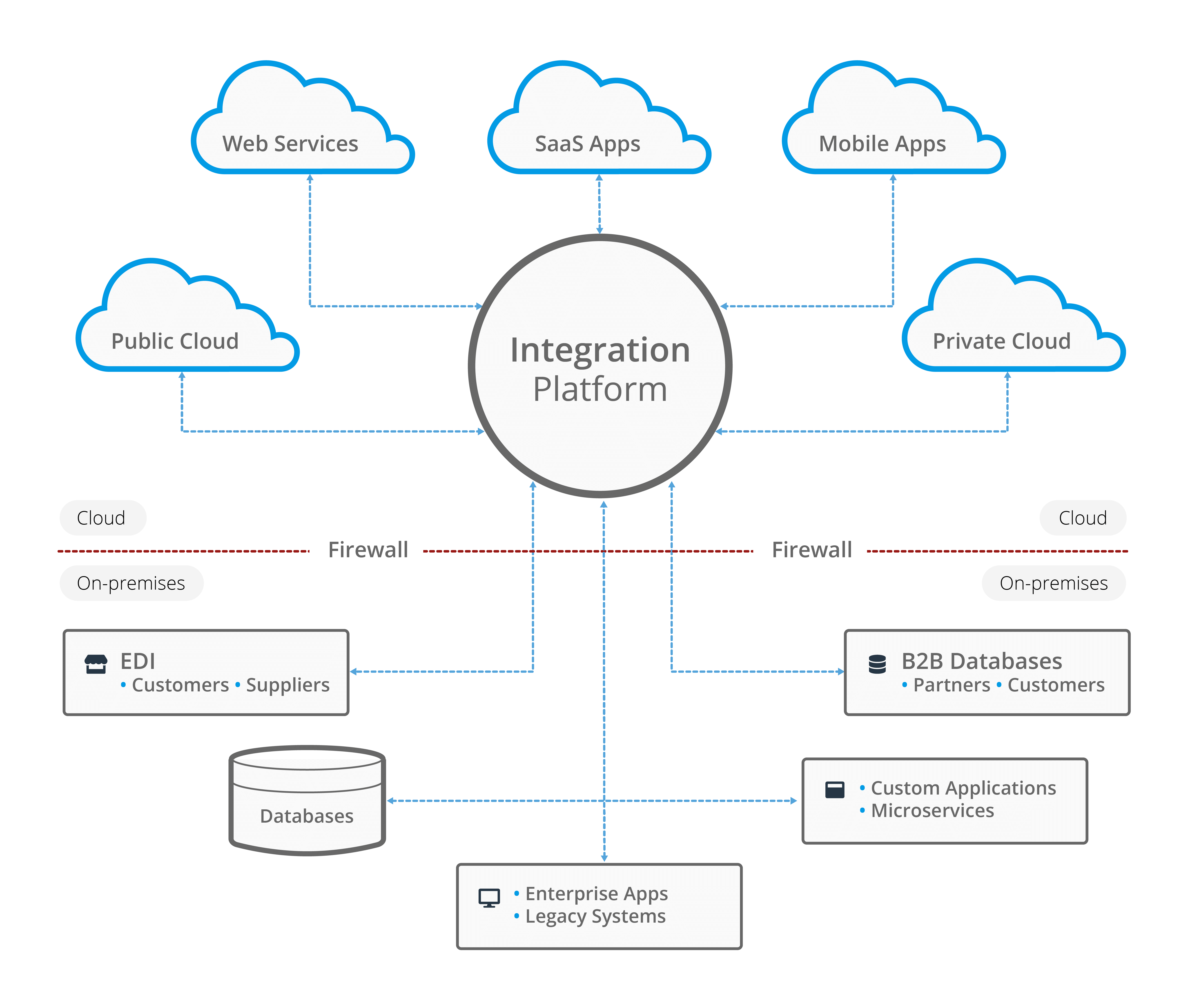
A website integration joins two or more systems through a defined exchange of information. The useful work is not just connecting an API: it is deciding what data should move, when it should move, what happens when something fails, and who can see or change it.
Connect forms, customer records, scheduling, payments, analytics, and other approved tools so information can move through a useful, understandable path.
Typical areas of work
The final scope depends on your systems, audience, priorities, and the evidence available. We agree deliverables before work begins.
Send a complete enquiry to the right team or customer system, with field names and consent information mapped intentionally.
Connect booking or payment steps where the provider supports the required journey, confirmation, and handoff.
Define meaningful events and pass only the data needed to understand how visitors use the site.
Reduce re-keying by moving approved information to the next system, with an owner for failures and unusual cases.
Web design & development / Interactive service map
The exact flow depends on the systems, data permissions, and exception handling agreed for the project.
Interactive workflow / service map
Select a step to see what happens, or use the controls to move through the sequence.
Select a stage to inspect its details
Stage 01 / What happens
Document the user action, information collected, system destination, and next human step.
Choose a scope area
Select an area for its detail and a practical planning note.
Scope area 01
Send a complete enquiry to the right team or customer system, with field names and consent information mapped intentionally.
How we approach it
Each stage has a defined purpose. We confirm what is learned, what is changing, and what needs your approval before moving on.
Document the user action, information collected, system destination, and next human step.
Confirm provider capabilities, account ownership, permissions, API limits, and available test environments.
Implement the agreed mapping, then test valid, incomplete, duplicate, and failed submissions.
Record how the connection works, who maintains it, and where the team can see delivery issues.
Before work begins
Good delivery depends on clear ownership, access, and expectations as much as it depends on the implementation.
Agree which fields are necessary, who may access them, and how long they need to be retained.
Decide how a person is notified if a provider is unavailable or a record cannot be created.
Keep business accounts, billing, and administrator access under the client's control.
Useful answers
These answers set practical expectations. We can confirm the details that depend on your platform and project scope.
Not every system offers the access or features an integration needs. We check available APIs, permissions, pricing, and terms before confirming feasibility.
A provider can change its API or service. The handover should identify the dependency, the account owner, and how failures will be noticed and handled.
That can be scoped when the CRM permits it. We first map fields, consent, duplicate rules, and the intended follow-up so the connection supports the actual process.
Web design & development
Share the goal, the current setup, and what you want to improve. We can work out a sensible first step.